how i dropped spotify (but not necessarily how _you_ should drop spotify)
10/01/2026
getting off of spotify is finally trendy. there a couple of ways you can go about it - swap to tidal, swap to apple music, swap to the youtube premium account that you're forced to pay for to use youtube, buy a bunch of cds, dig up your ipod from high school (or god forbid, primary school (or god forbid, your parents' hand-me-downs)). these solutions are all fine, but what if you could spend a bunch of extra money and add loads more complexity to the process?
this is how i got off of streaming services, but not necessarily how you should get off of streaming services. my approach was fueled by:
- understanding linux pretty well
- having a home server already set up with convenient file access
- being prepared to make some dumb financial decisions and wear the financial consequences
- expecting the other privately owned companies that provide music to normal people to also continue down the slippery slope in the coming half-decade as shareholder pressure mounts
i'm going to avoid giving you a big meandering tale, but i want to give a little insight into each option i tried and the solution i'm currently using
the not so good
streaming
i tried both apple music and tidal back in 2023 and didnt love them. apple music is potentially really good if you have an iphone, but it was laggy and buggy on android and also didnt have an incredible range. tidal also didnt super impress me, but my partner uses it now and seems to like it. if spotify got one thing right, it was dumping their money into ux designers to make an app that is really useable with great integration. when i was checking out the alternatives, they didnt feel anywhere close.
i already had a bunch of music on bandcamp, but i wanted all of my music to be in one place, and jumping to bandcamp exclusively would give me a fairly limited library. also not an amazing solution
devices
i've talked about my ipod classic gen 6 and walkman nw-a105 plenty before. neither were particularly great options. the walkman is a great idea but a terrible battery hog, and the ipod is fun to use but wasnt very responsive and is equipped with a less than optimal headphone jack. i might have had a better experience if i'd got the gen 7 ipod classic, but this was already such an incredibly expensive experience that i have no interest
software
i've tried every gui linux music player under the sun and ive been consistently shocked at how crap most of them are. i know these are open source and made by the community, but so is musicbee and that program is great. i actually still haven't tried out mpd despite it being considered the endgame solution by most linux people but im sure its swell
the good (which is to say, my current solution)
a small computer that sits in the corner of my kitchen next to the router and runs 24/7
having a home server is so unbelievably core to my everyday life. even an extremely underpowered chip (in this case, the mobile version of the mid-tier cpu i bought for my second ever computer back in 2017) has enough juice to run a torrent client, a media server, multiple programs for tracking and encoding media, an smb file server and a multitude of random little scripts that run periodically without breaking a sweat. this computer runs three core pieces of software that we're going to talk about in a moment, but the main thing is that it has a folder that is pretty easy to connect to on any of my other computers, and that it runs all the time. the server uses tailscale to allow all of my out-of-house computers to connect to it, which for this use case is only my phone, and only as a backup. you could do this with a cloudflare tunnel or direct connection if you've got the guts to open your network to the clearnet
anyway, this computer hosts the "master" version of my music collection. it's literally just a folder on the 4tb sata ssd i plugged into the server, but it only uses an absolute fraction of that space (last time i checked, my ~1000 album collection is only about 80gb). a couple of programs plug into this folder to share it around where it's needed. more info incoming on these programs
legal music file acquisition
despite everything, tim sweeney seems to have not fucked bandcamp when they bought it a couple of years ago. i'm still keen for a truly musician owned music distribution website in the future, but for now, this is the best we've got. buying an artist's music via bandcamp gives them money equivalent to thousands of streams on a site like spotify, or infinity streams if theyre an up-and-coming artists who doesn't have much of a following yet (remember how spotify doesnt give you any money if your plays are under a certain threshold? do we think much about how fucked that is if you're trying to start out as a musician?)
local artists also sometimes sell cds at gigs and i like to grab them where possible and rip the audio for my colletion. i don't actually own a cd player of any kind, including the bargain bin radio head unit in my car
<LEGAL> music file acquisition
a lot of music is unfortunately not on bandcamp. this bizarrely includes a lot of the artists that i know in person, because it's pretty standard for people to just hand their albums off to distribution platforms who then hand them off to spotify, tidal, apple music etc. but not bandcamp? anyway. in these cases i've sometimes bought band members a round of drinks in exchange for files, but if theyre a big artist and theres simply no way of giving them money for their art, i <DO NOT> just resort to stealing
soulseek is a peer-to-peer sharing app that lets users advertise whatever files they want, but is basically entirely used for sharing music. i use slskd on my home server to keep the downloading directly attached to the "master" version of my music collection. speeds are also improved by this being a kind of dedicated task for the server and my server also being plugged into my router with a 10cm length of cat6e ethernet
i like the idea of buying cds as a way of tangibly having your music and giving you something you can see when deciding on an album, but i live in a 3x3m room and dont have the space to start another collection. i also don't ascribe to my parents hilariously evangelical view that acquiring media is morally sound if you exchange money for it - i don't see a difference between buying a cd off a secondhand store and ripping the files and getting them from soulseek. the artist already got the money and your money is just going to someone else. this isn't meant to be impenetrable ethical armour, but more realism about the fact that i cant give money to a lot of musicians for their work unless i decide to also give a significantly larger share to some asshole who's using it to research ai powered killbots
players
i've also talked about my hiby m300 in great length. these are a little pricey, unfortunately, and it really stings when you lose one, but theyve been really nice to use. the inclusion of a 3.5mm jack and an sd card slot is obviously a huge step up on your other options these days, but it being built on android means i can choose my player software, connect to file sharing platforms and stream over chromecast to my partner's housemate's wiim player or a chromecast audio. neat!
i also bought a samsung tablet from an auction house for fifty bucks - this device sits next to the stereo in my room and serves the aforementioned 3.5mm jack and sd card slot but with a more fisher-price-y interface. even a child could figure it out. this thing is so generic that i'm not going to even tell you the exact model because it really doesnt matter. i would say to make sure you get something that supports android 11 or higher, because android 10 doesn't play nice with our next star:
syncthing
yep, i'm really not using anything sophisticated to keep all of my devices in sync. syncthing is so ubiquitous that you can just pop it on all of your computers and all of your players and just let it figure everything out. you do absolutely need to go to the syncthing folder settings > advanced and turn on ignore permissions, otherwise your library will just get filled with sync conflict files
jellyfin
is not a marvelous solution for playing music on your tv or on your browser. in fact, it's pretty bad. however, it does provide a streaming protocol for sending music to other programs. the protocol is also kind of bad. thankfully, i use jellyfin primarily for streaming <PUBLIC DOMAIN MOVIES> from my server to my tv, and i only ever stream music to my phone as a worst case scenario. speaking of streaming music to phones,
end user software
android streaming: symfonium
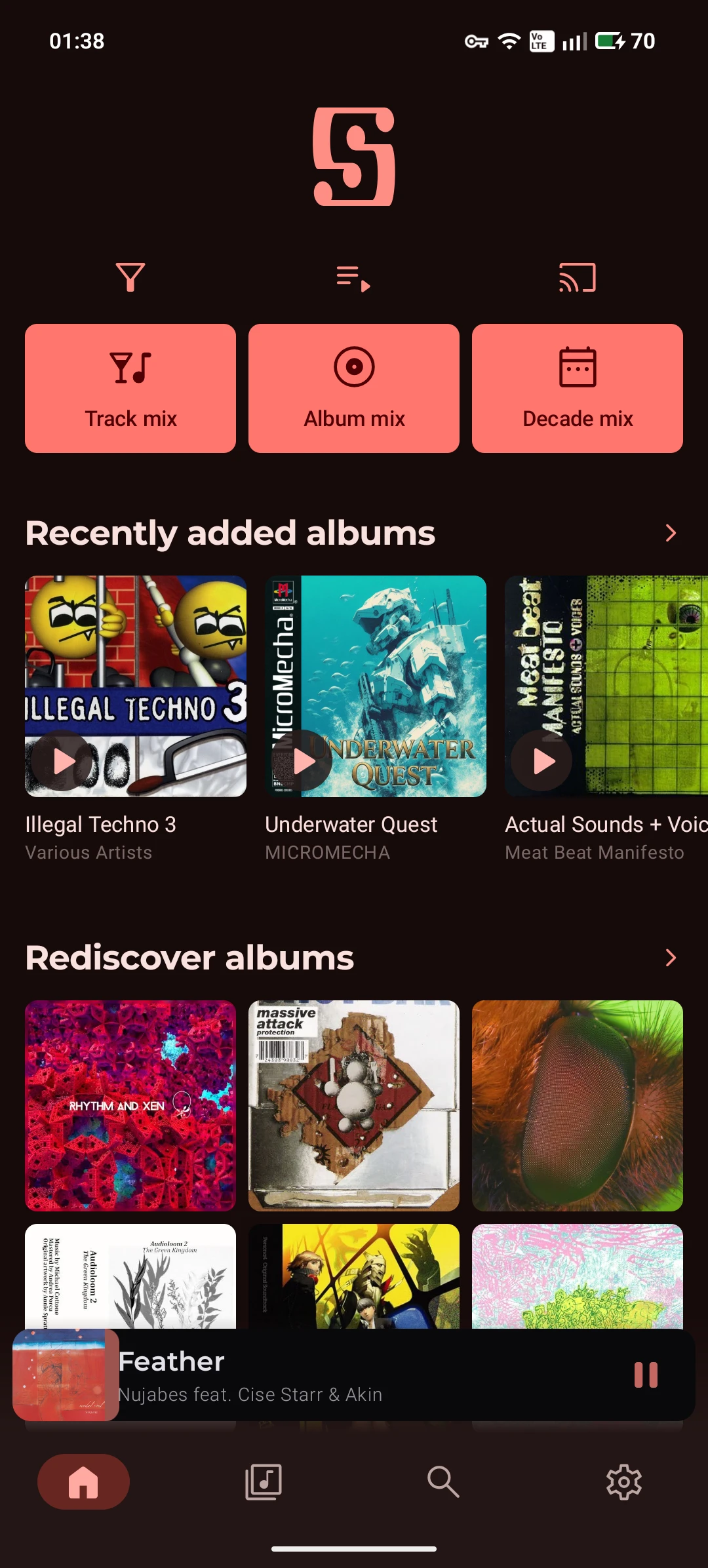
this one is unfortunately not free, but it has a trial period so you can figure out if you like it. it's also the best music streaming solution on android, hands down, with an interface that is classier than any of the free options for just a single time purchase. as i write this, i'm realising that it also does local files, so i should maybe test it against the following option:
android file-based: poweramp
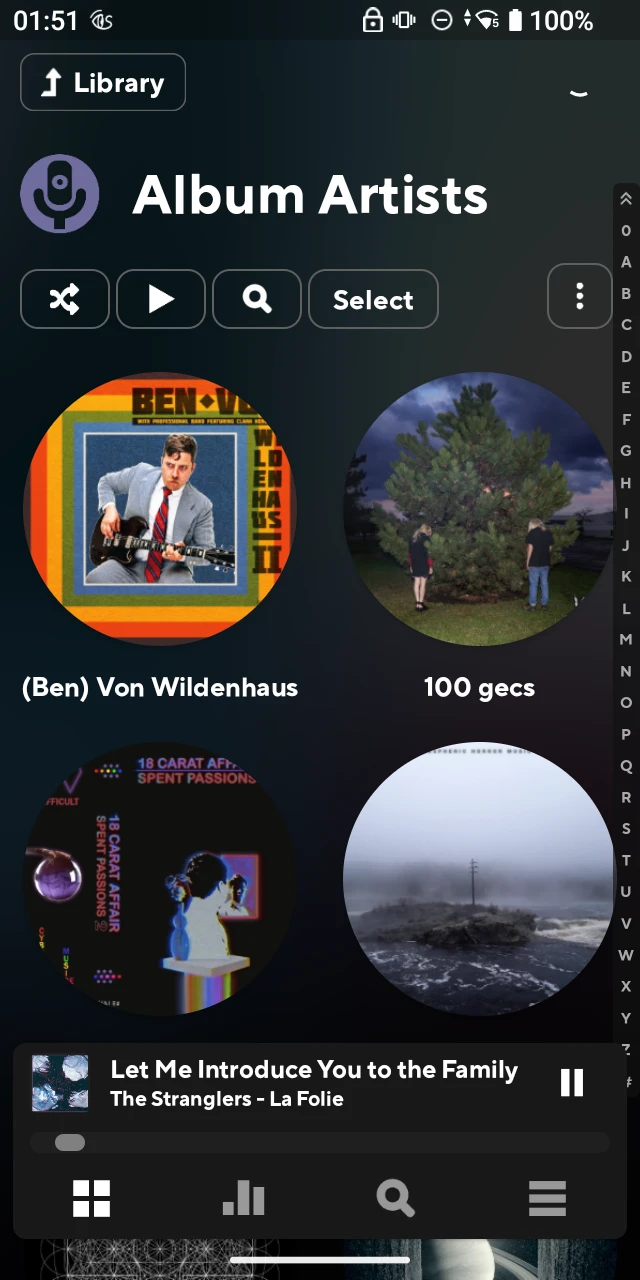
this software is kind of considered the default android music player, and probably with good reason. its super customisable, letting you choose what you want to be displayed in terms of categories, images, text, player layout, etc. this is pretty useful for a device with a really small screen like the hiby. it does sometimes struggle with keeping the library up scanned, but that might be because its kind of an underpowered device and that tiny cpu can only go so far
windows: musicbee

i love musicbee. i love it so much. it's basically the perfect music player, in that it also has a million tools for keeping your music collection tidy and formatted correctly. go check the link if you want more details i suppose. it unfortunately is not available for linux, and the experience of using it with wine is, uh, bad
linux: quod libet
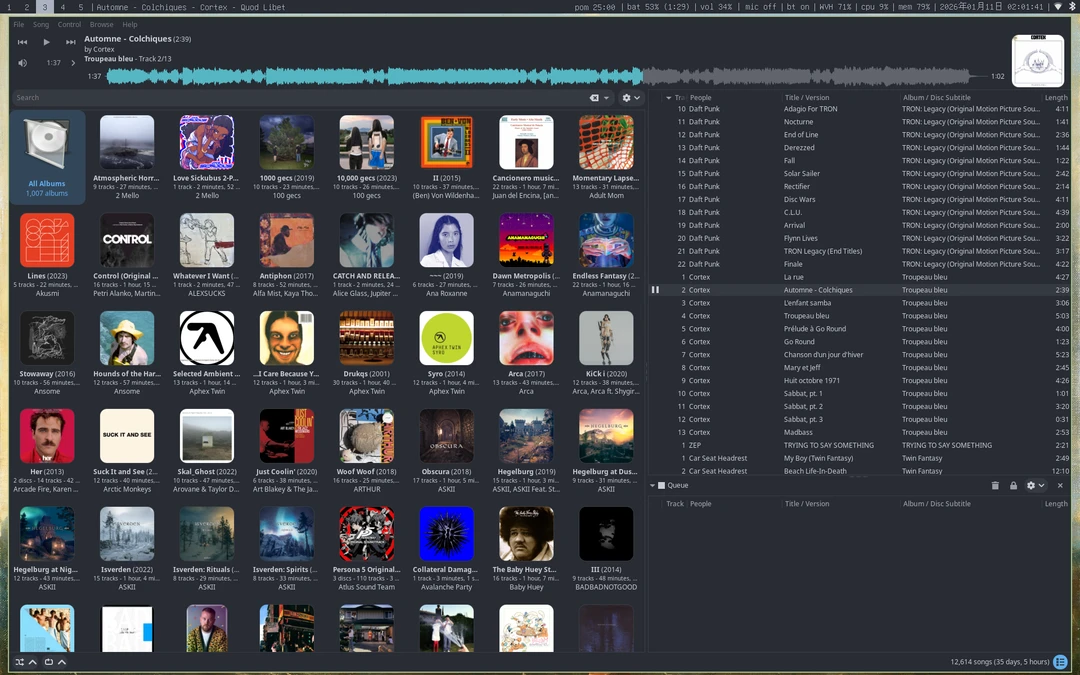
i can't confirm this, but i feel like quod libet was made by musicbee fans who were stranded on linux world and couldnt get back to windows island. there are loads of visual options for this program, a suite of plugins, tag editing built in (and done well). i'm missing the file conversion and the auto dj that musicbee flaunted, but its a great alternative, and its also available on windows and macos
local radio
i'm also fully in favour of finding out what your local radio stations are like. i have a borderline pirate radio station in my city that goes out of its way to play music by local and female / non binary artists (they have actual quotas, which i am in full support of) and that has basically solved my driving music decision paralysis. because they're run by passionate local people and funded by donations, they don't need to play the mass appeal drivel that you hear everywhere else, and instead consistently play interesting and fun music i've never heard in my life. i would give a pretty high odds that your town also has something similar, you've just gotta do a search for community radio in your area, or ask some local musicians
miscellaneous thoughts
- figuring out an organisation scheme is absolutely vital for keeping your library useable. i have artists at the base level, albums at the next (in the format <year> - <album name>) and music files in there. keep a cover.jpg for the album in the album folder, and a folder.jpg in the artist folder for a picture of the artist
- downsample to mp3 or opus. trust me. you can't hear the difference. if you can, you're not going to have read this far through this post
- musicbee tag searching / musicbrainz picard are really good for automatic tagging of albums, but be a little cautious. the musicbrainz database that these draw from has insane nonsensical genres a lot of the time - some being patently wrong, and some being patently nonsense. i actually use rate your music for genres because they have a limited set, and the genres are picked based on user suggestion. rym users are really anal so i find them to be trustworthy
- just use year tags, and ensure that all albums have a consistent album artist. these will make your albums way easier to search for and also ensure that they get bundled properly