november update
18/12/2025welcome

i come to you like a slug, crawling on my belly and dripping slime. covid has brought me low and removed my capacity for writing, reading, listening to music and cognisant thought. it did cause me to get some really good rest though. this has become a bit of a massive post, even after shooting two sub-thoughts into their own posts. the thinking and writing part of the brain stopped working but the observing part didnt and has basically just given present me a bunch of annoying extra tasks to complete
summer is finally starting to swing in in australia and im pretty mad about it. even 30c is enough to piss me off after such a long lovely winter, and i'm not looking forward to the game of hokie pokie where you have to open your windows at night to bring in the cool air but god forbid you forget to close all of them again by 9am and undo all of your hard work. it's also likely to make cycling much harder, which sucks because i'm really starting to enjoy it
i have two pagan celebration events in the works that i'm helping to organise with some pals, one for litha and one for lemmas (remember that the dates are flipped because i'm in the southern hemisphere). on top of this, my partner has three art exhibitions at the start of 2026 so i'm helping them out with moving pottery and paper and furniture. it's all getting quite busy, even for me. one of my really good friends is in the states and i miss her, and a bunch of my other friends headed to the rising tide protests last week and only just got back
this might sound like i'm in a bad mood, but i'm not. i think i'm mostly just bracing myself for the shitfest that christmas and new years are threatening to be and how all this shit is impacting my ability to work on the stupid little things that i love to do. and i also don't like the heat
music
dig it - down to the bone

this is just PURE acid jazz, the kind that i haven't found in a while. i'm kind of mixed on the tracks with the vocals, but the rest of it is really high energy and synthy
chicha libre - sonido amazonico
i've been loving this album for MONTHS and somehow forgot to put it on a previous top 3 albums. i've become completey enamoured with south american music in the last 12 months or so and this one integrates a weird kind of surfy angle to the whole deal. it makes me dance every time i listen to it, which is awesome and also kind of embarassing
jonny nash & suzanne kraft - passive aggressive
i've listened to loads of jonny nash before, but this one balances a bizarre spooky, hypnotic ambient feeling with something a bit more jazzy
electro update
i did it! i put my electro on hold this month. i'd actually been getting a bit worried that my skin was scarring where the electro was being performed, so i'm going to give it a break and see if it chills out. if not, i might just do laser on my face every month for the rest of my life. i guess
ratshot
link
the developer of this game caught me hook, line and sinker with a nifty little devlog youtube video discussing them iterating over their design process. they not-so-subtly spruiked the game's demo on itchi (linked above) and i proceeded to play it to 100% completion. the gameplay has an extremely gorgeous flow that is easy to fall into, and an artstyle that felt really inspired but also like a delightful homage to the trope of making a character that looks a little bit demented and (cartoonishly) warped. it seems like the game itself has a while to go yet while the developer designs new levels and makes new characters and assets, but i'll be watching it with bated breath
zims
when the uk announced that they would be restricting access to wikipedia for minors, i immediately hopped online to figure out how to back up websites for local viewing. the zim storage technology, paired with a software package called kiwix lets you do exactly this! a lot of sites are pre-packaged to be far smaller (wikipedia is under 10gb, for example) but there are also tools to make your own packages. i grabbed the excellent android arts because the site tends to go down every couple of months, but any similarly static site (like someones neocities page, perhaps?) can be backed up equally easily. i want to set up some automated system to update a site on a semi-regular basis, but i'd have to figure out how to simultaneously be considerate of small sites bandwidth limits
niri
i'd heard whisperings about niri among the linux circles for ages now, but i'd held off on touching it because it's very easy to get caught in the trap of chasing whatever new thing is on hacker news and end up customising your computer more than you actually use it. this was until i learned that niri uses a gnome-style workspace system (one of my biggest complaints with hyprland, as it makes working with multiple screens an absolute nightmare) - i finally caved and gave it a swing and caved fucking immediately. it's so much easier to use than standard tiling window managers, like, it's no contest. i had to use my laptop for serious work briefly an'd jumped back into something more familiar while i was setting the system up, but it took less than 48 hours to fully switch over and i havent looked back since. scrolling window managers fix the neverending window shuffling required by their tiling counterparts. i feel like navigating is more natural, as you spend the bulk of your time moving the viewport instead of moving windows. i've actually left animations on, (they're really helpful for placing myself in the virtual space) and ive found the configuration pretty straightforward. it is definitely missing a couple of visual features - i'm missing being able to dim unfocused windows - but functionality speaking its almost completely there
macbook
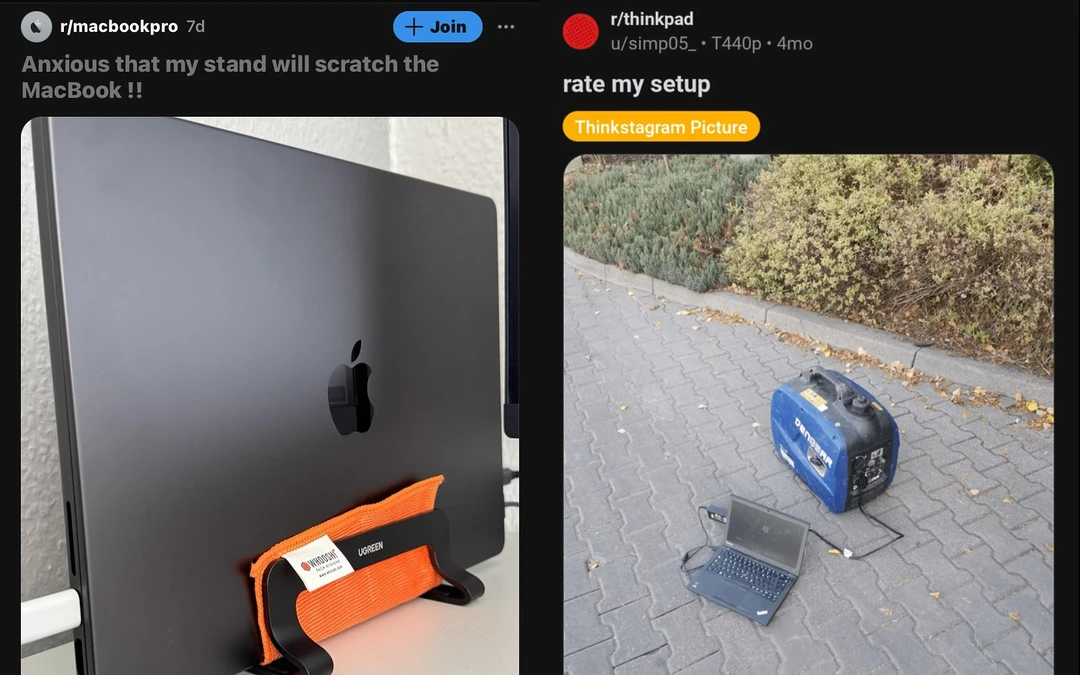
another programmer friend just bought a new macbook air and sold me their m2 macbook pro for a comfortable discount! i didn't have a specific interest in trying macos but with the opportunity thrust upon me it made sense to see what all the fuss is about on the other side of the fence
the good
i've been trying to move away from microsoft and google more given their recent obsession with ai, data collection and forcing new products on you that you're not interested in using. it's super nice that the macbook lets you go "nah, i don't really want an online account" and just move on, and it doesnt really bother you to get on any of their other products (except for icloud storage, but i disabled notifications for that years ago). the interface is obviously nice and visually cohesive (except for the dmg installation page which is a true lawless wasteland)
apple silicon is many things, some of them less impressive than others, but the battery life on these devices is truly crazy. they absolutely sip power when idling (you can count on it to be close to full if you leave the lid shut for a couple of days) and they keep this efficiency up while actually running. you can faff on about all the features that a laptop has, but being ready to go at a moments notice and able to keep that charge going for more than a day's use is super helpful for keeping it portable
spotlight search is snappy and allows me to bring whatever apps i want up nice and quickly. you can also turn off web searching, which is super fucking hard to do on windows. the unix base of the operating system makes getting up and running as a "power" user uber quick. basically all of the built in tools that you would expect to be there are there. z shell is also pretty slick
a lot of settings are surprisingly configurable. swapping caps lock to another ctrl (or command in this case) is a weird fuck about in windows, and while it's supported in a lot of desktop environments and window managers, macos goes a step further and lets you swap as many of the modifiers as your heart desires. this kind of smart customisability is all throughout the system, and it doesnt feel like it's making your jump through hoops to find the more specific stuff
in many ways, the trackpad is an improvement on what i'm familiar with as a thinkpad user. the whole thing clicks, instead of pivoting at the top, the click force is customisable, and the glass surface doesnt get that horrible shine you see on plastic ones. talking about this with a macbook friend actually made me realise that i've stopped pressing on the trackpad, and instead just tap it, because this is enabled by default on both windows and every linux distro that i've used. kind of interesting! in any case, i don't really care too much about the click force of the trackpad because i find it kind of unintuitive, and tapping to click feels much faster to me. ymmv
the bad
there's a lot of general weirdness that i assume is just baked into the system from decades of iterative design that users are used to but is wholly unfamiliar to a newbie like me. finder both has a lot of potential and a lot of horrid quirks. by default it wants to act like a phone, seemingly relying entirely on recent files and searching - this is cute if your only files are photos and documents and also you don't give a fuck, but if you want to program something or even just figure out what the layout of the file system is, you need to jump through a million hoops to get the settings you want. finder also can't be closed completely, and always shows up in your command-tab popup. i also found this weird scaling thing it does when displayed below a certain size (below). there's another folder completely hidden off to the right, for reference 
window management is HORRENDOUS. i need to give ms windows props for how well it does this, even if their solution isn't perfect. windows 11 especially lets you combine windows in some honestly weird layouts, with different trio layouts being extremely easy to construct by just dragging windows around. it also remembers grouped layouts and the displays that they were originally made on, and will pop them back in place if you disconnect and then reconnect to a dock, for example. linux has an absolute multitude of options, including my beloved scrolling layout, but most importantly, it's up to you. you can choose what you want. macos by comparison feels a decade behind. it seems that a lot of people use windows in true fullscreen, something that i find absolutely deranged. yeah sure, i want to move the mouse to bring up a toolbar option or check the time. awesome. your floating tiling options are sort of there, but i found the fn + ctrl shortcut really clunky compared to super, and to resize two windows that are touching at the same time you need to click on a tiny white grab bar. using these shortcuts also doesnt try to fit your moved window to slot in with other windows like it does in ms windows, and you can't fit windows to the corners. it all feels a bit half-baked to me and really hard to multitask with
this is more of a matter of familiarity, but the bottom row continues to be a bit of a pain in the ass. a friend of mine espoused the benefit of ctrl and command being separate as it allows you to cmd+c and cmd+v in terminal instead of using the clunky ctrl+alt, which is hard to disagree with, but other shortcuts feels like they're randomly assigned to one of the four modifier keys. the aforementioned fn+ctrl for window management is a good example, and it seems that option is used pretty infrequently. i think it actually sort of works more like alt-g?
i mentioned apple silicon's efficiency earlier and while it does do well with its battery, the accounts of the mac fans had led me to assume the responsiveness of the whole system would be this godlike, instantaneous snappy experience, where it's only just fine. it's better than windows on laptop, but that's not really saying much, and it's noticeably less responsive than fedora on my markedly cheaper thinkpads that were sold about the same time
i don't love this keyboard. it's fine, sure, but it feels thin and rattly and the keys have almost no travel. thinkpads just have them beat in every way.
screen scale is extremely confusing to me. i normally go for really small text and ui element sizes to fit as much as possible on screen, but the settings page left me kind of stunned:

huh??? my initial assumption was that the display is 2560x1600 and running at a lower resolution, perhaps to give a faster framerate? the truth, however, was even more horrible: the screen is 1440x900, and the resolutions you can pick here are a demented abstraction for the display scale. first and foremost, this pro-grade device that cost like three grand on release only has a 900p display? okay. but also i'm not sure how much more arbitrary this could be. in what universe is defining a pixel as not a pixel easier to understand than 50%, 100%, 150% scaling? with how fine grained a lot of the settings are in this system, this was a weird bit of friction
the prognosis
it's a resounding eh from me. if i never wanted to play videogames on a computer and i had to choose between a macbook and a windows laptop, i would probably pick the macbook. it's also worth noting that i am not the target audience for these things. managing a dozen windows simultaneously and structuring my directories myself and wanting to do everything through the keyboard are not common features of macbook users (or frankly, the majority of windows users) so its sort of like complaining that my public transport is shit in an american town. this just a fundamental disconnect between the priorities of the service and my needs. in a way im kind of glad that it didnt completely blow me away and change my whole perspective on computing and interconnectivity, because ive used an iphone before and i fucking hated it
vxe r1 dragonfly

my glorious mouse i bought back in june kept giving me the shits, and while /r/mousereview is one of the least helpful subreddits ive ever visited for reviewing mice or giving people any degree of help in mouse selection, a bit of digging led me to the r1 dragonfly, a mouse that goes for about fifty bucks from aliexpress and is honestly one of the best ive used in my life. the software runs through a chrome browser, which means you don't have to install it ever, and the settings are all saved to the device. it's going to be my recommended mouse from here out and
xteink x4

my other new doodad is this little e-reader. it's extremely pocketable which i've found super handy for reading on the train or just during a quiet moment where i would normally reach for my phone. it's also really cheap, about 80aud, with a nice feeling build quality and decent screen (i say, as someone with no experience with other e-readers). it has some quirks, including having to flash an english firmware using esptool and loading fonts as binary files, but for the price and the size i'm really not too fussed
sapphire pulse 9070 xt
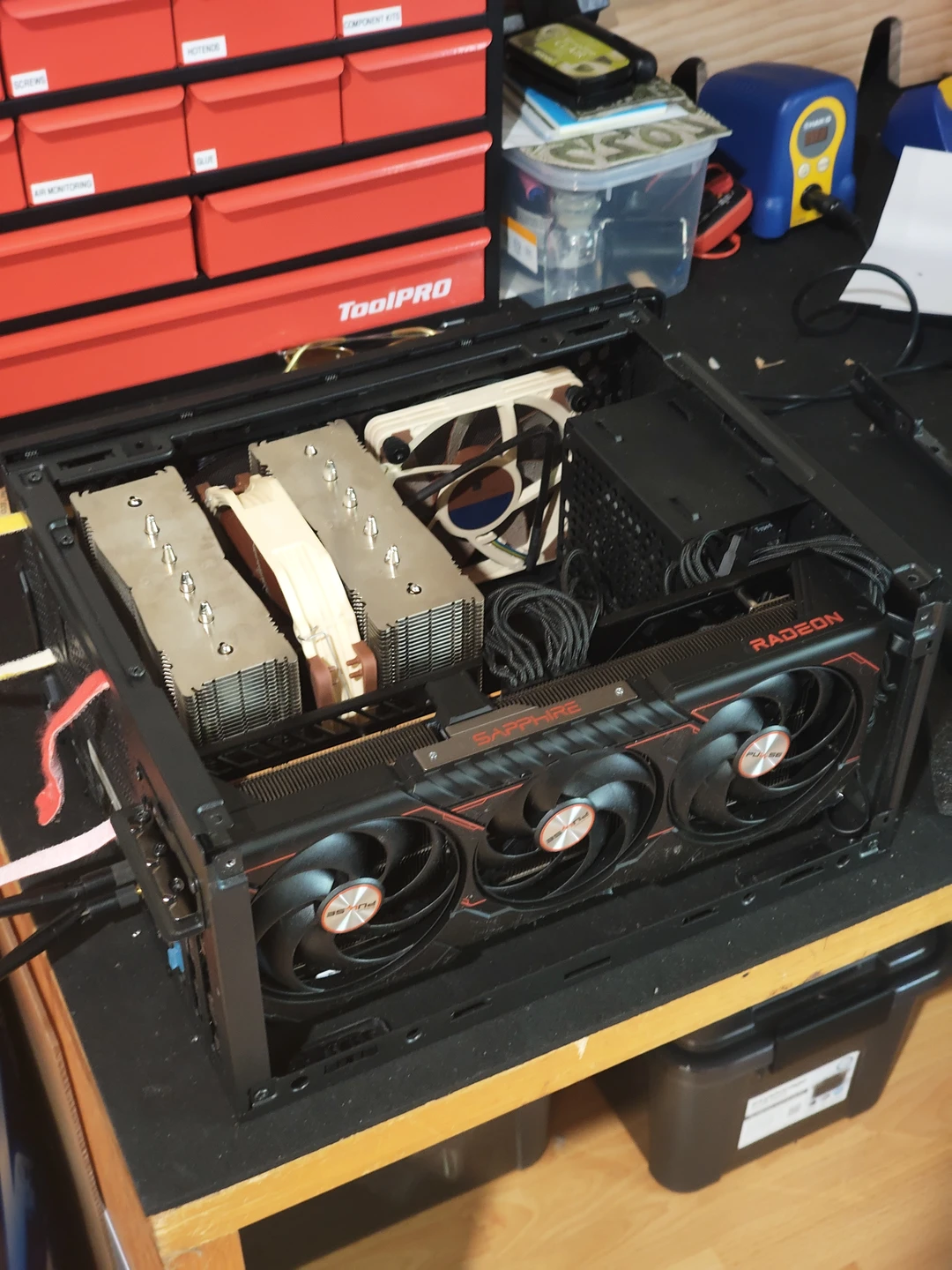
ahhh fuck!! i got spooked by memory prices and panic bought a new gpu! oops! in my defence, i'd been meaning to swap from my now fairly elderly 2070 super, and this did coincide with one of the first times these cards have dropped below 1000 aud. i also had some amazon gift cards i had to use up so the financial hit wasnt as intense as it could have been
this is the first time i've owned an amd gpu, and it's honestly been a really nice experience! the compatibility with linux is way cleaner and less of a headache to set up, and the amd adrenaline software makes tweaking really fucking nice. since the card is kind of jammed in there the heat coming out of my pc case is pretty noticeable, but the adrenaline software lets you control undervolts, overclocks, fan speeds, frequency targets and power limits without having to dig for a vendor specific program. it's really nice. the card also handles having its power limited to 70% of maximum (about 200w) and a 100mv undervolt just fine - a pretty nice thing considering how much heat it was pumping out directly after i installed it. fuck nvidia! buy its ever so slightly less shitty competitor!
keyboard

my keyboards have all been kinda dying recently - i spilled soju on one and gummed up the (now unavailable) alps switches, multiple keycaps broke on my hhkb, the usb port on one of my alice boards is flakey. i grabbed a w60-c kate pcb, made by the titular kate and an australian industrial designer called wilba (ive met both of them and they are absolutely lovely). the thing is surprisingly cheap, with the caveat that it only supports a 7 unit spacebar layout. not a big deal for me. the case was laser cut at my local hacker space, which was an honestly awesome experience! the cutter they have there is huge (i think a bit bigger than a 2a0 sheet of paper?) and really fucking fast. i've been meaning to do a little writeup on how these cases are made, so maybe this is what will make me pull the trigger